
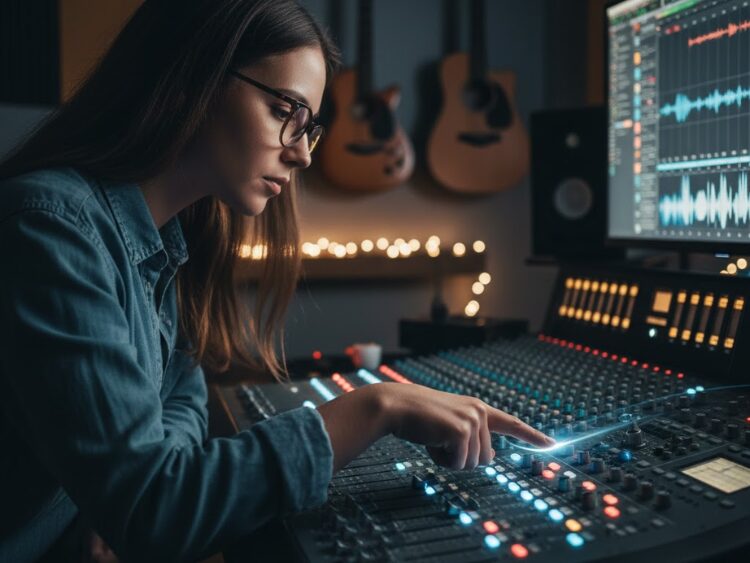
If you’ve ever stood behind a mixer for the first time—palms sweaty, wondering “What if I mess this up?”—you’re in good company. Every pro started somewhere, probably with a last-minute cable check and a silent prayer that feedback wouldn’t hit. Shortcuts aren’t cheats—they’re how you move from panic to “I’ve got this,” even if you just unboxed your gear or got thrown behind the desk on open mic night.
Getting hands-on with a beginner-friendly mixer, whether it’s something like the 5 Core twelve-channel or a Mackie with built-in effects, isn’t about rocket science. It’s about getting sound out clean, fast, and pain-free—even while other people ask questions, tune guitars, and tap the mic like it’s a doorbell.
Shortcut 1: Start With Zero
Turn every gain, EQ, and fader down before you power up. First rule in every studio and club: silence means safety. You won’t get blasts of noise, and you know exactly where to begin shaping your sound—rather than fighting last night’s settings.
Shortcut 2: Mute Before You Move
Never plug or unplug a mic/instrument with “Mute” off. A half-second pop can wreck a speaker or kill someone’s ears. Hit mute, plug, unmute. It’s a habit that instantly makes you look pro—even when you’re shaking with nerves.
Shortcut 3: Solo Channels to Solve Problems Fast
Something’s buzzing, but which mic? Hit “Solo” one at a time until you find the source. Most desks—including the MX-12CH—let you isolate a channel in headphones, saving you wild guessing and long stares at cables.
Shortcut 4: Use Your Phones/Headphone Output
Even if you run house speakers, monitor the mix on headphones first. It’s quieter, lets you spot feedback before the room does, and helps you keep levels even. Most mixers (5 Core and Mackie included) offer instant headphone monitoring—don’t skip this.

Shortcut 5: Digital Magic—Bluetooth and USB Inputs
Modern desks let you play backing tracks, break music, or reference mixes quickly without swapping cables. On the 5 Core, just pair Bluetooth or use USB for a playlist—super clean, and you look slick when a band needs walk-on tunes.
Shortcut 6: Quick-Shape EQ
Forget “rules.” If vocals sound muddy, roll down the low end a bit. If everything feels harsh, ease off the highs. Real mixing is feel, not formulas. Use small moves, listen, and don’t worry about the “textbook” knob positions.
| Shortcut | What It Solves | How It Feels In Use |
| Zero everything | Prevents surprises | Feels confident, calm |
| Mute before move | Stops loud pops | Instantly pro, everyone safe |
| Solo hunt | Kills guesswork | Quick, focused troubleshooting |
| Phones output | Fixes mix in private | No drama, easy corrections |
| Bluetooth/USB | Skip mess, fast sound | Effortless for backing tracks |
| Hands-on EQ | Real sound adjustment | Ears-first focus, minimal fuss |
Product Spotlight
5 Core 12-Channel Studio Audio Mixer – 99-Bit DSP Processor with Bluetooth, USB & MP3 (MX-12CH-L)
A versatile 12-channel professional audio mixer tailored for DJs, podcasters, and studio musicians. Featuring a 99-bit DSP digital processor, this mixer includes built-in effects such as reverb and delay. It supports Bluetooth 5.0 wireless streaming and USB connectivity for PC recording and playback. Inputs include combo XLR/TRS jacks and RCA connectors, with a 48V phantom power supply for condenser microphones. The mixer offers multiple aux sends and balanced outputs for flexibility in live or studio setups.

- 12 input channels: combo XLR/TRS and RCA
- 99-bit DSP processor with preset effects (reverb, delay)
- Bluetooth 5.0 and USB connectivity for wireless and PC recording
- +48V phantom power on microphone inputs
- Multiple aux sends, balanced main outputs
- Compatible with DJ equipment, mics, instruments, and amplifiers
- Durable metal chassis with intuitive controls
Mackie ProFXv3 Series Professional Mixer
Mackie’s ProFXv3 line delivers robust mixing performance with high-fidelity sound tailored for live and recording applications. Available in various channel counts, these mixers feature Onyx mic preamps with excellent linearity and up to 32-bit DSP effects supplied by Waves. USB interfaces enable multi-track recording and playback connectivity with computers. Designed for easy setup and durability, the ProFXv3 mixers come in sturdy steel chassis, with comprehensive I/O for professional audio routing.

- Onyx mic preamps with low noise and high headroom
- 32-bit multi-effects from Waves, offering reverb, delay, and more
- USB audio interface for multi-track recording/playback via computer
- Balanced XLR outputs, comprehensive I/O including inserts and aux sends
- Durable steel frame with intuitive control surface
- Options available from 6 to 30 input channels
Bottom Line
Mixers don’t bite—but knowing the right moves lets you tame any session with confidence. Next gig, rehearsal, or podcast, lean into these shortcuts. You’ll sound better, fix mistakes faster, and get a little closer to feeling like a pro—no matter how new you are to the sound desk.
Here you can also find amazing drum thrones; alternatively, browse our page to find the best keyboard bench, audio mixers, drum mics, piano bench, keyboard stand, speakers, party speakers, and more.