
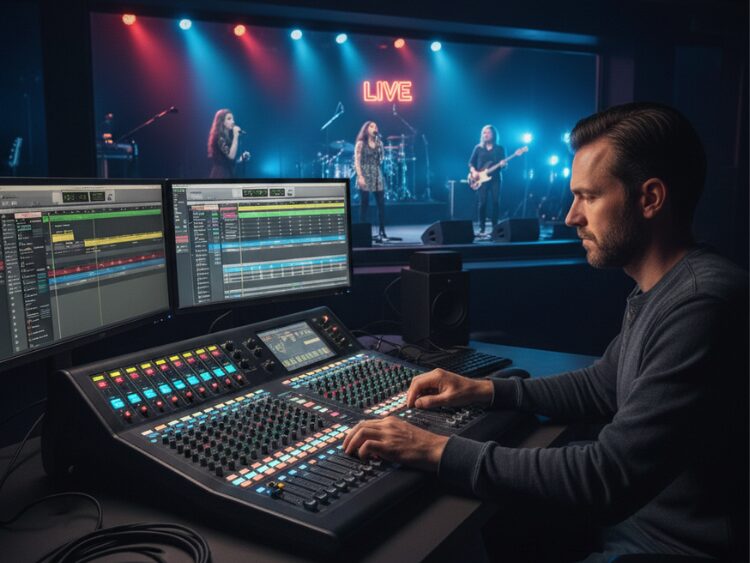
Let’s cut to the chase. You’ve got a band, a mixer, and the sound is a mess. It’s muddy, the vocals are gone, and you’re just pushing faders around hoping for the best. That’s not mixing; that’s guesswork.
To get a professional-sounding live mix, you can’t be afraid to take control. Mixing vocals and instruments on the same mixer is the core of live sound, and it’s a skill anyone can learn. Forget everything you think you know about making things louder. It’s all about creating space.
Ready to get this right? Let’s work through it, step by step.
Step 1: Gain. Get It Right or Go Home.
This is non-negotiable. If you don’t get your gain levels set correctly, everything else is just lipstick on a pig. Your gain knob is the first point of entry for your signal. Too low, and you’ll get noise. Too high, and you’ll get horrible digital distortion.
Here’s the deal: Have each band member play or sing at their absolute loudest. While they’re hitting it hard, slowly turn up the gain for their channel. Watch the meters. You want the signal peaking in the yellow, with the red “clip” light just barely flickering on the loudest parts. Then, back it off a hair. Now you have a clean signal to work with.
Step 2: EQ to Get Your Space Back
Now we shape the sound. Don’t be a hero and boost everything. The secret to a clean mix is getting rid of the stuff you don’t need. Every sound has its own place.
Vocals: The Front and Center
Your vocalist is the star. Ensure that they do not sound muffled.
- The HPF Trick: Press on the high-pass filter button on all the vocal channels. Seriously, just do it. This removes the low-end rumble less than 80 Hz, and immediately cleans up the vocal and the whole mix.
- The 3k Boost: This is a slight boost around the 3 kHz mark, at which point the vocal will cut through the mix, without the need to boost it up. This is where presence lives.
Instruments: The Supporting Cast
The goal is to prevent instruments from fighting with each other.
- Bass and Kick: The kick drum and bass guitar are mortal enemies. Use a slight cut on the bass around 250 Hz to give the kick a clear pocket to punch through.
- The “Vocal Scoop”: Find the main frequency of your vocalist and use a slight cut in that same range on the guitars and keyboards. This carves out a natural spot for the vocal to sit right on top of the mix.
Step 3: Panning
This is the easiest way to make your mix sound bigger. Don’t put everything in the middle. Place your vocals, bass, and kick dead center. Then, pan instruments like guitars and keys out to the left and right. This creates a wide, open soundstage and gives everything its own space.
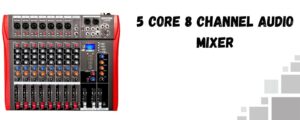
Product Spotlight: The 5 Core 8-Channel Mixer
Looking for an audio mixer that balances versatility with reliability? The 5 Core Professional 8-Channel audio mixer is built to manage band, worship, DJ, and podcast setups—all with real-time control.
- 9 Mixing Channels: Enough inputs for live bands, vocals, and multiple line-level instruments.
- 9-Band Graphic EQ: Shape your sound with precision—tailors highs, mids, and lows, great for live mixing in challenging venues.
- 48V Phantom Power: Runs condenser mics for crisp vocals and detailed instrument capture.
- PFL/AFL Monitoring Buttons: Solo or group channels for quick on-the-fly reference, essential for sound check flexibility.
- Bluetooth Connectivity: Stream backing tracks, loops, or music wirelessly for live sets without extra cabling.
- USB Interface: Record directly to your laptop or computer, or play audio files straight from digital sources—streaming and podcasting-friendly.
- Sturdy Construction: Metal chassis and reinforced knob/fader layout to withstand frequent handling, travel, and busy gigs.
- Extra Touches: LED metering for output levels, effects send/return for external gear, clear labeling for fast adjustments.
Whether you run a small club, record at home, or need reliable mixing for events, this mixer is built for easy transport and fast setup—plus enough flexibility to swap between band, DJ, and voice-over style needs.
Final Takeaway
It depends at the end of the day, it is about listening. The most significant tool that you possess is your ears. These are steps to use as a base, but leave it up to your ears. You just need to practice and get used to your mixer and you will begin to get a pro-level sound each time.
Need some live sound equipment? We carry the complete live mixer setup equipment you can get; audio mixers, keyboard stands, etc.
Here you can also find amazing drum thrones; alternatively, browse our page to find the best keyboard bench, audio mixers, drum mics, piano bench, keyboard stand, speakers, party speakers, and more.